Offline conversions: report sales from your CRM to Google Ads and Meta
Google Ads and Meta learn from what you report to them. If they only get form fills, they optimise for form fills. With offline conversions, they optimise for sales.

The problem with form conversions
Most campaigns count a submitted form as a success. To the algorithm, every enquiry is worth the same, including those that never turn into an order. So it learns to get as many forms as possible, not the best customers.
The way back from the CRM
When a deal is won, your CRM reports it to a secret address at Trackum. We pass the sale with its value and time on to Google Ads and the Meta Conversions API. This tells the advertising which clicks really led to revenue.
- Google Ads: by click ID gclid, gbraid or wbraid, plus email and phone, only hashed, for better matching
- Meta: by click ID fbc and the Purchase event, duplicates are detected by an event ID
- Pipedrive reports won deals directly by webhook, HubSpot through a workflow
→ Cookie banner with Consent Mode v2: compliant, with no monthly licence
Google Ads without manual work
You only provide your Google Ads customer ID. Trackum sends an invitation from its manager account. Once you accept it, Trackum creates the conversion action "Trackum: Abschluss aus dem CRM". You do not need to look up labels or IDs.
Data protection
Without a click ID nothing goes to Google or Meta, not even a hashed email. Email address and phone number are irreversibly hashed with SHA-256 before they are passed on.
→ Setting up Google Consent Mode v2 correctly: no warning in Tag Assistant
Cost
Setup costs a one-off 150 euros. Together with the CRM handover, there is one shared subscription of 19 euros per month.
Frequently asked questions
What do I need?
The CRM handover, so that the click ID is stored in the CRM, and a message from the CRM when a deal is won. We understand Pipedrive and HubSpot directly, everything else via Zapier, Make or n8n.
Is data from people without consent sent?
No. Only sales with a click ID are reported. A click ID only exists if the visitor consented to advertising measurement.
Do I need to set anything up in Google Ads?
You only accept the invitation from our manager account. Trackum creates the conversion action itself.
Read more
 Features
Cookie banner with Consent Mode v2: compliant, with no monthly licence
Reject on the first layer, settings per purpose, Consent Mode v2 with every consent type and a record of each choice. No monthly licence.
 Features
Setting up Google Consent Mode v2 correctly: no warning in Tag Assistant
The most common warning in Tag Assistant says a tag read consent before a default was set. How to avoid it, and what else matters.
 Features
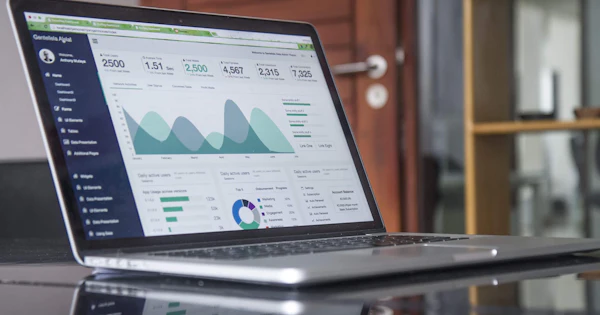
Marketing dashboard with GA4 and Google Ads: every number on one page
Visitors, leads, orders, ad spend and ROAS per campaign on one page, compared with the previous period. One link, nothing to set up.
 Features
Revenue from your CRM, shop and ERP in one dashboard: HubSpot, Shopify, Odoo and more
Google Analytics only sees what happens on the website. Orders by phone or email are missing. With a data connection, the real revenue from your system appears in the dashboard.
 Features
Website leads with their source in your CRM: HubSpot, Pipedrive, Brevo, Salesforce or webhook
Where did the lead come from? The CRM handover writes source, campaign and click ID into the CRM with every enquiry, without a form plugin.
 Features
Saving UTM parameters and gclid in forms: so no campaign gets lost
A visitor arrives from an ad, clicks through three pages and then submits the form. By then, the UTM parameters have long gone from the address. This is how they are kept.