Marketing dashboard with GA4 and Google Ads: every number on one page
Visitors, leads, orders, ad spend and ROAS per campaign on one page, compared with the previous period. One link, nothing to set up.
Why a dashboard of its own
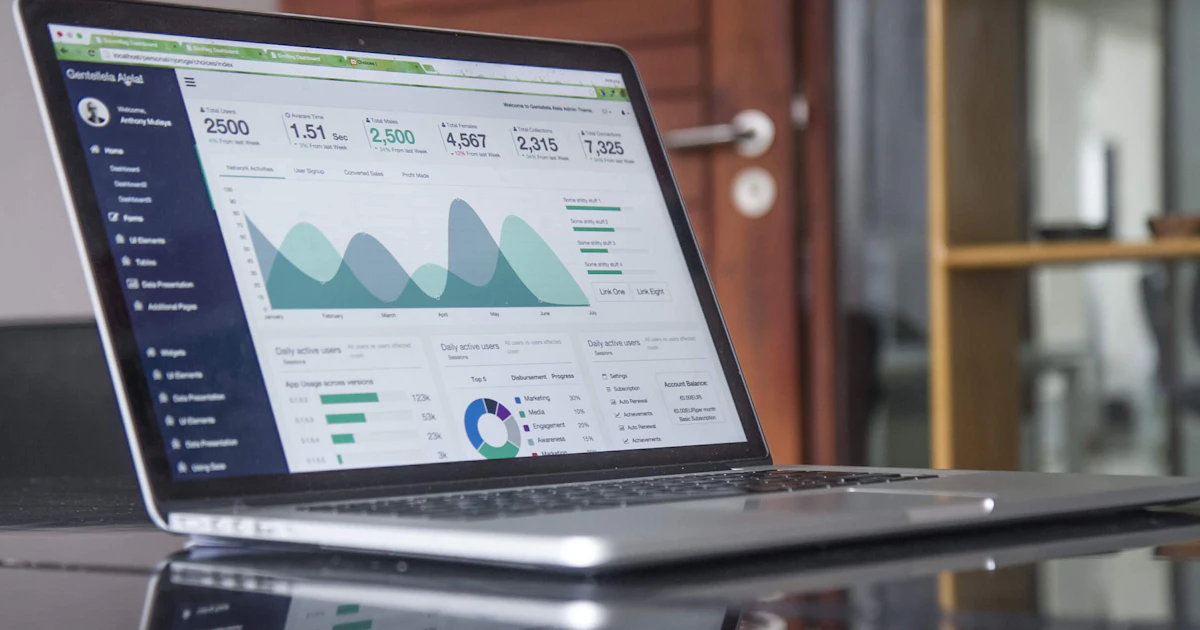
Google Analytics 4 has lots of reports, but hardly anyone quickly finds the answer to the most important question: does my website bring in leads and revenue, and what does that cost me? The default templates in Looker Studio are often empty or too general. The Trackum dashboard shows exactly the numbers that matter for your business.
What it shows
- Key figures compared with the previous period: visitors, leads, calls and emails, orders, shop revenue
- With Google Ads: ad spend, ROAS and cost per conversion
- Visitors and leads per day
- Funnels from visit to lead and from product to purchase
- Channels in plain language, for example "Google and other search" or "AI assistants"
- Google Ads campaigns with ROAS, landing pages, devices and best-selling products
It only shows what exists for you. No shop means no shop section, no Google Ads means no costs.
→ Cookie banner with Consent Mode v2: compliant, with no monthly licence
Period and comparison
You choose 7, 28 or 90 days. Every figure shows the change against the previous period of the same length, green when it improves, red when it does not. For costs, less is better, and the dashboard takes that into account.
Sales from leads
If you also use the CRM handover, the dashboard shows how many leads became orders: closed deals, revenue from leads, close rate and revenue per channel and campaign. Only the source is stored for this, nothing about the person.
→ Setting up Google Consent Mode v2 correctly: no warning in Tag Assistant
Cost
Setup costs a one-off 150 euros, running it costs 29 euros per month.
Frequently asked questions
Where do the numbers come from?
Directly from Google Analytics 4 and Google Ads through their APIs. Trackum gets read access to your GA4 for this. We connect Google Ads through an invitation from our manager account.
How up to date is the dashboard?
The numbers are refreshed at most every six hours. After going live, Google Analytics needs up to 48 hours before the first data appears.
Do I need Looker Studio?
No. The dashboard is a page of its own at Trackum with a private link, readable on a computer and on a phone.
Read more
 Features
Cookie banner with Consent Mode v2: compliant, with no monthly licence
Reject on the first layer, settings per purpose, Consent Mode v2 with every consent type and a record of each choice. No monthly licence.
 Features
Setting up Google Consent Mode v2 correctly: no warning in Tag Assistant
The most common warning in Tag Assistant says a tag read consent before a default was set. How to avoid it, and what else matters.
 Features
Revenue from your CRM, shop and ERP in one dashboard: HubSpot, Shopify, Odoo and more
Google Analytics only sees what happens on the website. Orders by phone or email are missing. With a data connection, the real revenue from your system appears in the dashboard.
 Features
Website leads with their source in your CRM: HubSpot, Pipedrive, Brevo, Salesforce or webhook
Where did the lead come from? The CRM handover writes source, campaign and click ID into the CRM with every enquiry, without a form plugin.
 Features
Offline conversions: report sales from your CRM to Google Ads and Meta
Google Ads and Meta learn from what you report to them. If they only get form fills, they optimise for form fills. With offline conversions, they optimise for sales.
 Features
Saving UTM parameters and gclid in forms: so no campaign gets lost
A visitor arrives from an ad, clicks through three pages and then submits the form. By then, the UTM parameters have long gone from the address. This is how they are kept.