Revenue from your CRM, shop and ERP in one dashboard: HubSpot, Shopify, Odoo and more
Google Analytics only sees what happens on the website. Orders by phone or email are missing. With a data connection, the real revenue from your system appears in the dashboard.

The gap in every analytics tool
Google Analytics only counts what happens on the website, and only for visitors who have consented to measurement. Orders closed by phone, by email or in person never show up. For many companies, that is where most of the revenue is. The truth about sales lives in the CRM, the shop system or the ERP.
What the data connection shows
- Revenue and number of closed deals, orders or invoices, compared with the previous period
- Average order value
- For CRMs: win rate and open deals
- For shops: cancellations and refunds, revenue after deductions
- Revenue by source, for example Google Ads, search or offline
- With Google Ads: revenue per euro of ad spend from real sales
→ Cookie banner with Consent Mode v2: compliant, with no monthly license
Supported systems
HubSpot and Pipedrive for deals, Shopify and WooCommerce for orders, weclapp for invoices, Odoo and Xentral for sales orders. For HubSpot deals without Trackum campaign fields, we use HubSpot's original source, so orders taken by phone show up as "offline". For Shopify and WooCommerce, the source comes from the shop's own attribution.
For everything else there is the open API option: enter the address, enter the key, done. Trackum detects amount, date and status by itself in most cases, but the fields can also be set manually.
Keeping your key safe
You only enter the key on a protected page, never in an email. It is stored encrypted at Trackum, never shown again and only ever sent to its own system. Redirects to other addresses are blocked. When you connect, Trackum immediately runs a test fetch of the last 30 days so you can see that it works.
→ Setting up Google Consent Mode v2 correctly: no warning in Tag Assistant
Cost
50 euros setup for each system, running it is included in the subscription for 19 euros per month. The dashboard is added automatically.
Frequently asked questions
Which systems are supported?
HubSpot, Pipedrive, Shopify, WooCommerce, weclapp, Odoo from version 15 and Xentral. Plus any API that returns a list as JSON and works with a bearer token or a custom key header.
How do I give Trackum my key?
Only on a protected Trackum page, never by email. The key is stored encrypted and never shown again. "Disconnect" deletes it immediately. Ideally, create a key with read-only rights.
Which data does Trackum fetch?
Only amount, currency, date, status and source, such as channel or campaign. No names and no addresses. Only the totals calculated from it are stored.
Read more
 Features
Cookie banner with Consent Mode v2: compliant, with no monthly license
Reject on the first layer, settings per purpose, Consent Mode v2 with every consent type and a record of each choice. No monthly license.
 Features
Setting up Google Consent Mode v2 correctly: no warning in Tag Assistant
The most common warning in Tag Assistant says a tag read consent before a default was set. How to avoid it, and what else matters.
 Features
Marketing dashboard with GA4 and Google Ads: every number on one page
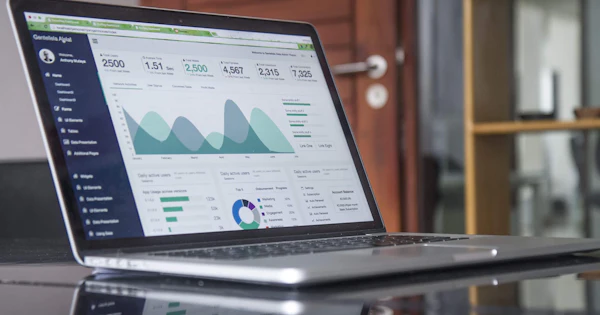
Visitors, leads, orders, ad spend and ROAS per campaign on one page, compared with the previous period. One link, nothing to set up.
 Features
Website leads with their source in your CRM: HubSpot, Pipedrive, Brevo, Salesforce or webhook
Where did the lead come from? The CRM handover writes source, campaign and click ID into the CRM with every inquiry, without a form plugin.
 Features
Offline conversions: report sales from your CRM to Google Ads and Meta
Google Ads and Meta learn from what you report to them. If they only get form fills, they optimize for form fills. With offline conversions, they optimize for sales.
 Features
Saving UTM parameters and gclid in forms: so no campaign gets lost
A visitor arrives from an ad, clicks through three pages and then submits the form. By then, the UTM parameters have long gone from the address. This is how they are kept.